
WhatsApp communication
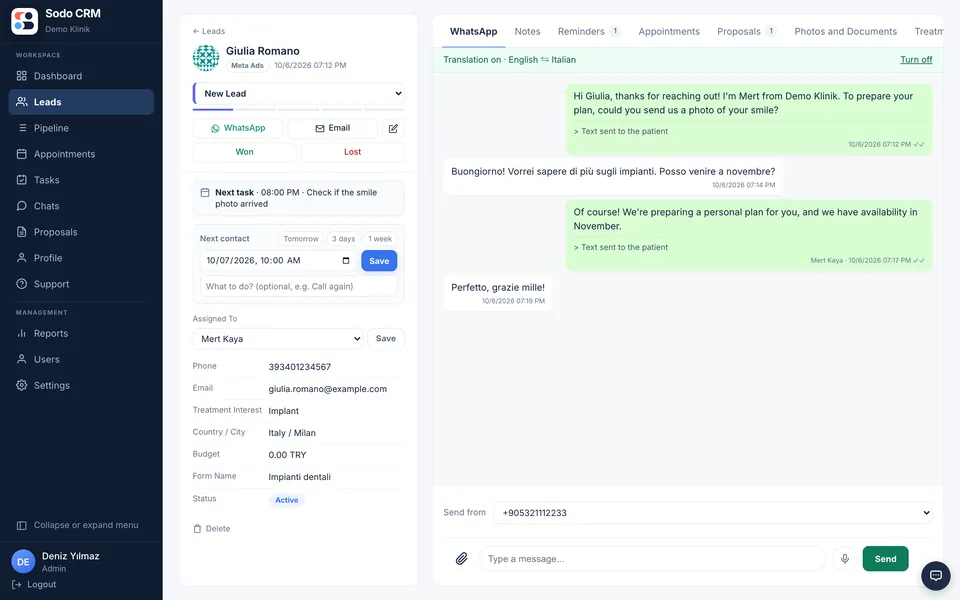
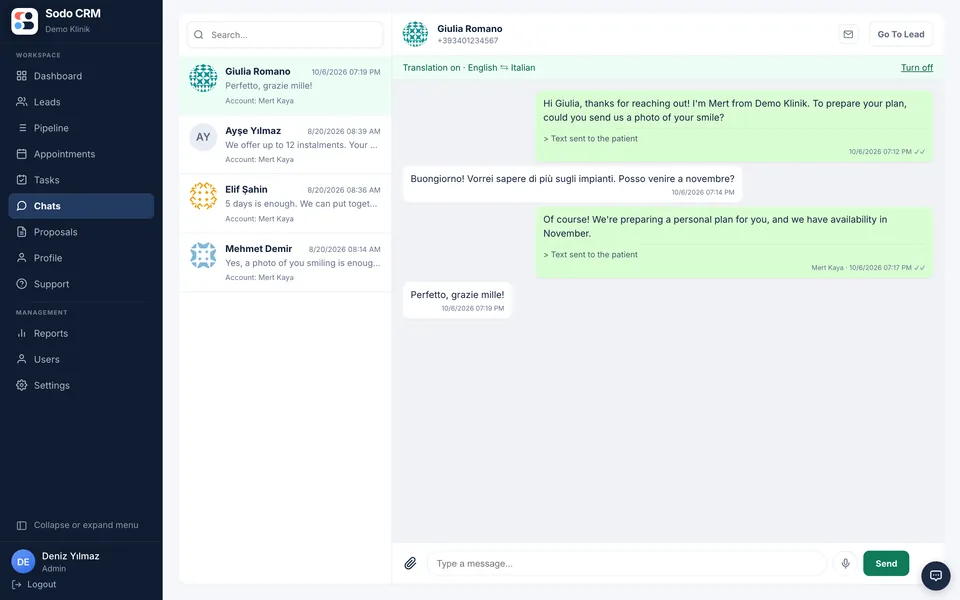
Each rep connects their own number, or several numbers, with a QR code. Chats live on the customer record and stay with the company when someone leaves.
No per-message feesSodo assigns every lead to the right rep within seconds, sends the first WhatsApp message in the lead’s own language and reports conversions back to Meta.
Used by 50+ clinics and call centres across Europe.
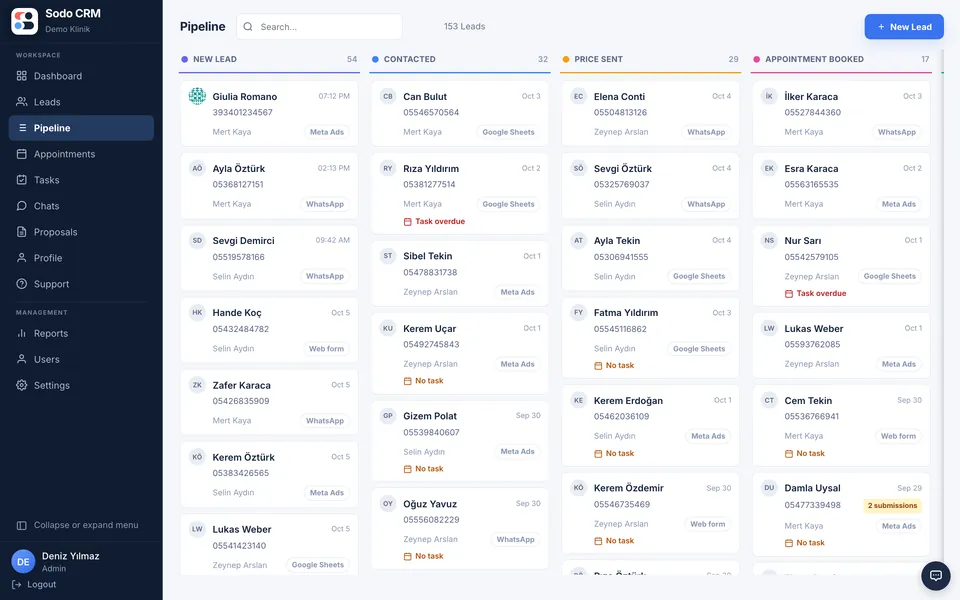
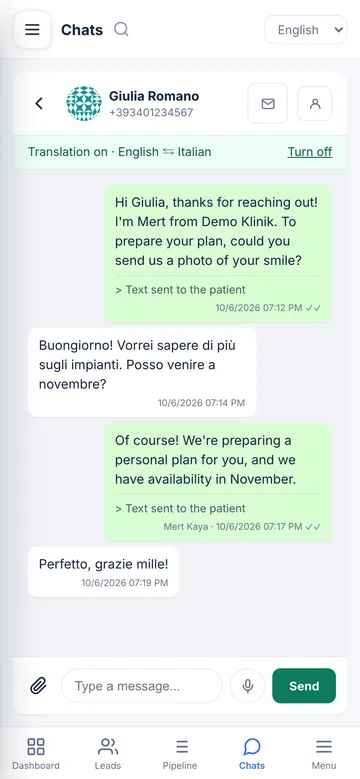
You pay for ads, the form gets filled in, then silence. Sodo closes the leak in these four places.
ProblemLeads wait hours for a reply.
With SodoAssignment and the first message happen within seconds; evening leads don’t wait until morning.
ProblemChats live on the rep’s phone.
With SodoEvery WhatsApp conversation sits on the customer record and stays with the company when someone leaves.
ProblemNobody can reply to foreign patients.
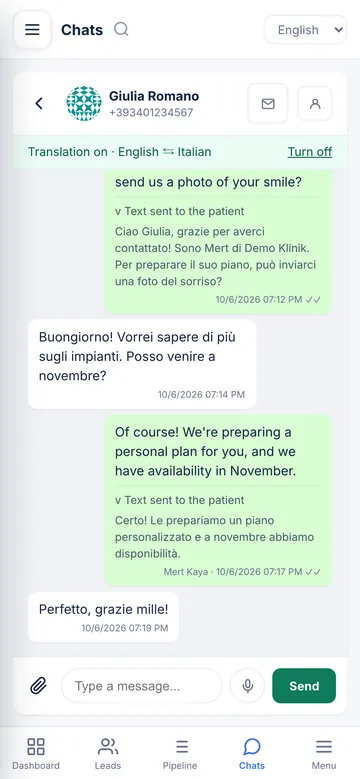
With SodoTwo-way translation: the patient writes in their language, the rep reads in theirs, and the reply goes out in the patient’s language.
ProblemAds find form fillers, not buyers.
With SodoConversions are reported to Meta, so your ads start looking for people who resemble buyers.
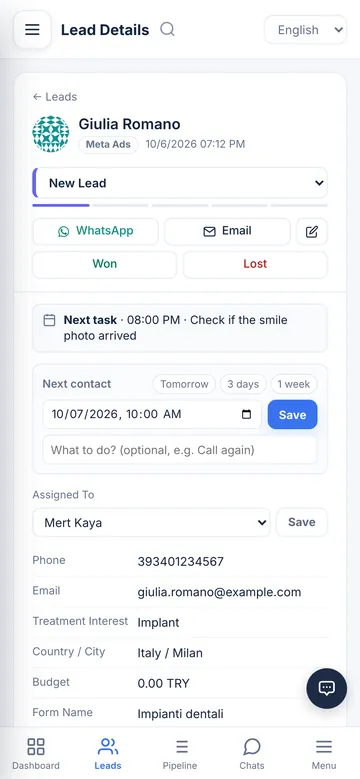
Giulia from Milan fills in a Meta form about implants. This is what happens next in Sodo.
Meta forms, web forms or WhatsApp: everything arrives in the same list. Custom form questions map to CRM fields, and repeat submissions from the same number are merged.
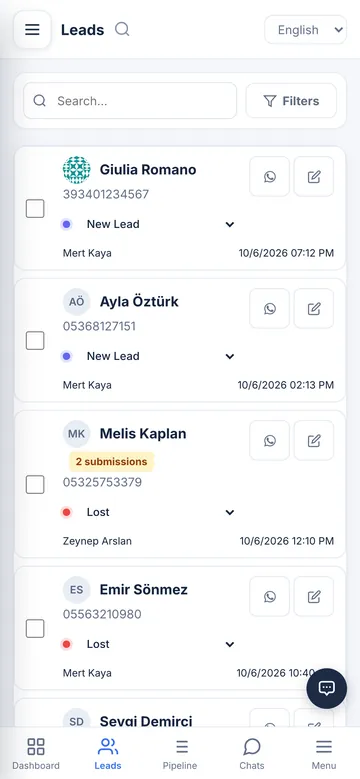
Leads are distributed in turn or to the person you choose. The rep gets a notification; leads that arrive after hours do not wait until morning.
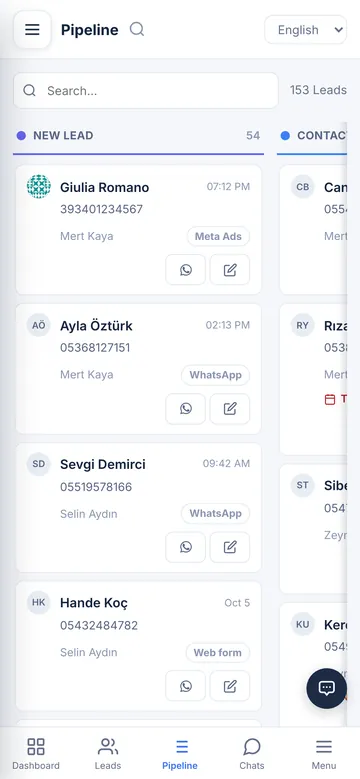
The welcome message goes out from the rep’s own WhatsApp number, addressing the lead by name, in their own language. The text the patient will receive is shown before it is sent.
Translation works both ways on every message, whether it is Italian, German, Arabic or any other language. The original stays underneath. Prices, dates and times stay exactly as written.
The moment the stage changes, the event goes to Meta. Your ads start looking for people who resemble those who book.
By default, ads look for whoever fills in a form fastest. Sodo reports your sales stages back to Meta, so Meta starts looking for people who resemble those who book appointments and buy.
The moment a rep changes the stage, the event goes to Meta.
Meta learns what the leads who book appointments have in common.
The strongest signal: a paying customer.
Same budget, better leads.
Name the stages after your own sales process. Each card shows the source, the owner and the latest submission; managers see who replied and how fast.

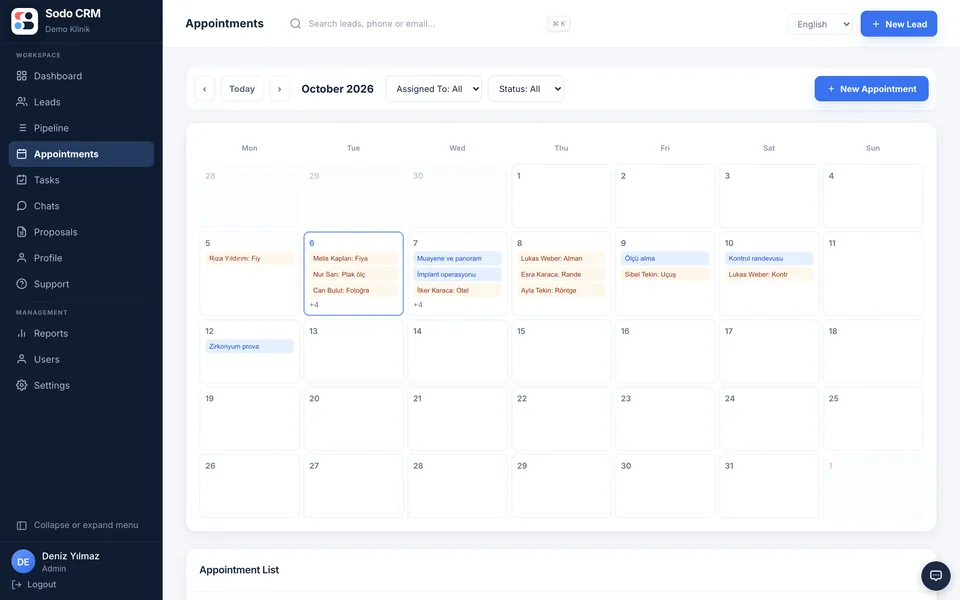
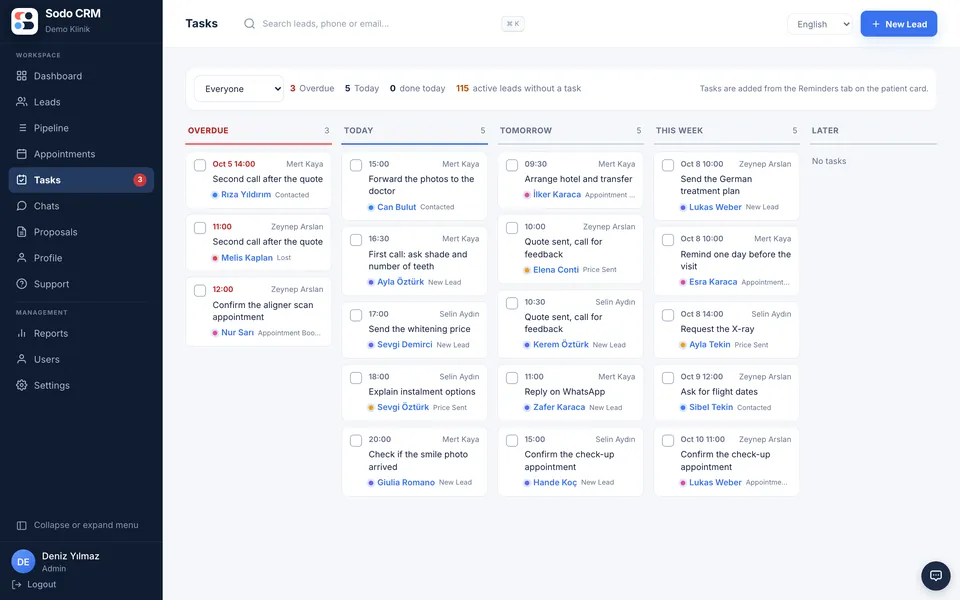
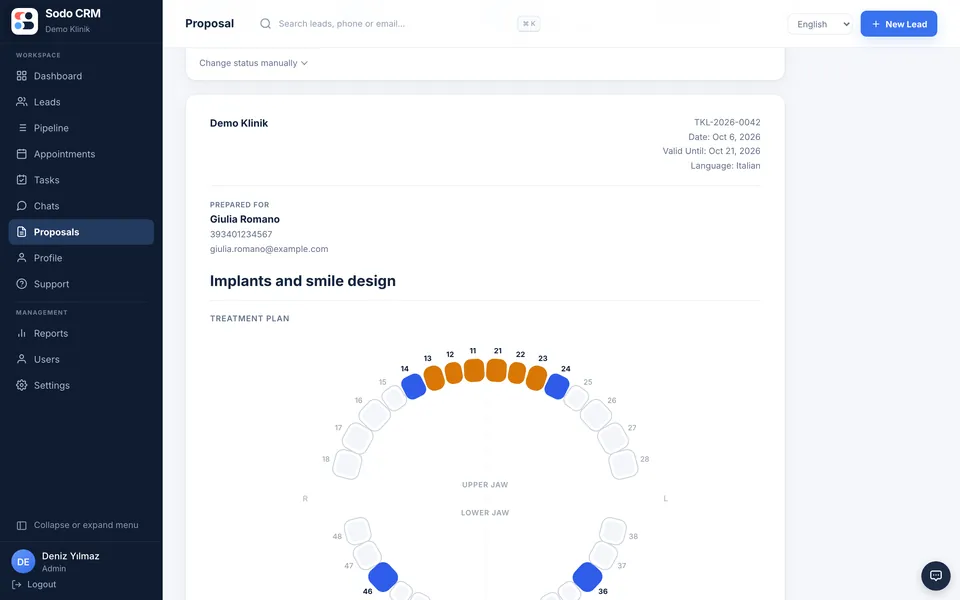
Leads are distributed in turn or to the person you choose. Leads that arrive after hours do not wait until morning.
If the same phone number fills in a form again, no new record is created; the card is marked “2 submissions”.
Who replied how fast and what was said after the price: it is all on record.
Everything below is in all three plans. Only the AI Sales Rep comes with the "AI 24/7" plan.
Each rep connects their own number, or several numbers, with a QR code. Chats live on the customer record and stay with the company when someone leaves.
No per-message feesThe first message goes out from the rep's number, in the lead's language and matched to the topic. If there's no reply, a follow-up goes out on the day you choose.
Whatever language your customer writes in, you read it in yours. Your reply goes out in their language; prices, dates and times stay exactly as written.
Ask "how many leads came in this week, who is still waiting for a reply?" and get the answer from your own data. On a patient card it drafts the quote for you.
Build quotes with hair and dental charts. The patient opens the link and accepts; you see when they opened it. Also downloads as PDF.
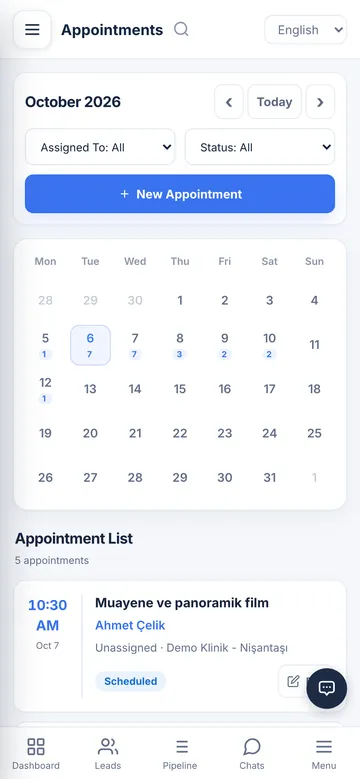
Today, tomorrow and overdue on one screen. When a lead enters a stage, that stage's task opens on its own.
Once the welcome is sent, the lead moves to the next stage, tasks open and leads who don't reply get a reminder. No manual chasing.
Your company mailbox inside the panel. Patient emails attach to their card and you reply from there.
Form submissions reach the panel within seconds; custom form questions are mapped to CRM fields.
Reports the leads that convert back to Meta, so your ads are optimised with sales data.
Stages, reminders, an appointment calendar, quotes and payment tracking on the same card.
Shows, separately, which ads bring leads that convert and where leads are lost.
Set up with your clinic’s information. Replies to leads at any time, day, night or weekend, in their own language, collects details and photos, passes on prices approved by your experts and hands warm leads over to your rep.
If you like, the AI also talks: it answers incoming WhatsApp calls, calls the leads assigned to it, speaks with the patient in their language and writes a call summary on the patient card. +$299 / month, 600 minutes included every month; unused minutes carry over to the next month.
AI 24/7 plan: 349 $ per month, 5 users included
With the voice assistant: 648 $ per month · no per-message fees
The panel works fully in the phone browser and opens like an app once you add it to your home screen. You get a notification when a new lead is assigned to you.
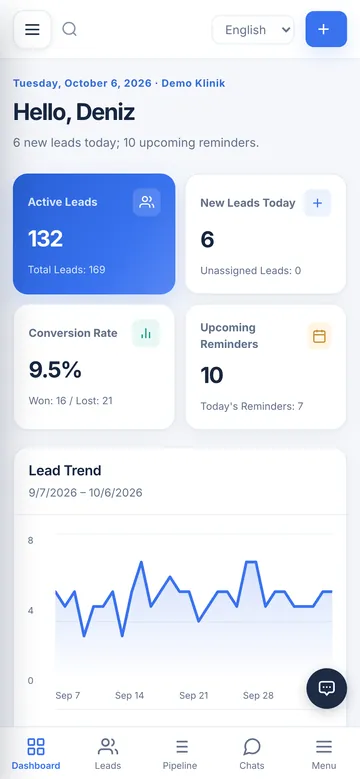
All three plans include every Sodo feature. The difference is who does the setup, and the AI Sales Rep.
For teams that prefer to set things up themselves.
billed annually · minimum 3 users
Buy nowFor teams moving from another CRM or from Excel.
billed annually · minimum 3 users
No setup fee
Buy nowFor teams that want to answer leads at any time: day, night and weekends.
5 users included, extra user 35 $
No setup fee
Buy nowor try it free for 3 days
The free trial does not include the AI Sales Rep, the voice assistant or the monthly AI analysis. Live translation is included.
Prices are final; no extra tax is added at checkout. The longer the term, the lower the monthly price; on the 3-month term a one-time $250 setup fee applies to the first purchase of Professional or AI 24/7, while setup is included on the 6-month and annual terms. You can add users mid-term; only the remaining days are charged and your renewal date stays the same. Very large migrations (tens of thousands of records or several systems) are quoted separately.
Sodo CRM is lead and sales management software built for call centres and sales teams. It brings every enquiry from Meta ads, website forms and WhatsApp messages into one panel, assigns the lead to a sales representative, sends an automatic welcome message and keeps every conversation together with the customer history.
It suits call centres and sales teams that assign leads and track conversations and sales outcomes. Clinics and medical tourism are areas where we have extensive experience. It is designed for teams with several sales representatives who struggle to track who is handling which lead.
There are three plans and every feature is included in all of them. Starter is $25 per user per month billed annually, and you do the setup. Professional is $35 per user per month and includes setup, migration from your old CRM and priority support. AI 24/7 is $349 per month billed yearly ($399 on 6 months) with 5 users and the 24/7 AI Sales Rep included; no AI credits to buy, fair use up to 5,000 AI replies a month. You pay for 3 months, 6 months or a year; the longer the term, the lower the monthly price, and the annual term has 2 months free. On the 3-month term Starter is $35 per user, Professional $49 per user and AI 24/7 $449 per month, and a one-time $250 setup fee is added at the first purchase of Professional or AI 24/7; setup is included on the 6-month and annual terms. An optional voice assistant can be added to AI 24/7: $299 per month with 600 minutes every month, unused minutes carry over to the next month ($648 per month together); a 300-minute top-up is $99 and a 1,000-minute top-up is $149. There are no per-message fees. You can try it free for 3 days; the free trial does not include the AI Sales Rep, the voice assistant or the monthly AI analysis; live translation is included in the trial.
Yes. Migration is included in the Professional and AI 24/7 plans: we move your contacts, stages, notes and WhatsApp chat history, connect your WhatsApp numbers, Facebook/Instagram and website forms, set up welcome messages and automations, and train your team live. On Starter you set up the account yourself in a few minutes.
No. Each sales representative connects their own WhatsApp number with a QR code. No Meta WhatsApp Business API subscription is required, so there is no per-message charge. Photos, voice notes and files can be sent from the same screen.
Yes. When chat translation is turned on, the sales agent writes in their own language and the message reaches the patient in theirs; the reply comes back translated. Translation is enabled per conversation, so it never activates when the agent already speaks the patient language. The text that will reach the patient is shown before sending, the original is kept under every message, and prices, dates and times are preserved exactly.
Yes. A user with the manager role can read the whole team WhatsApp conversations alongside the customer history. How long it took to reply, which question went unanswered and what was said after the price all stay on the record, so performance is measured from evidence rather than guesswork.
Yes. The moment a lead lands in the panel it is assigned to a sales representative and an automatic welcome message goes out from that representative own WhatsApp number. The lead name, the service requested and the business name are filled in automatically. An enquiry that arrives outside working hours does not wait until morning.
Yes. Images with captions can be uploaded to each lead card. JPG, PNG, GIF and WebP are supported, up to 8 MB per file. Photos are not reachable by direct link; only authorised users can see them.
Yes. A reminder with a date, time, owner and note can be added to the customer card. When it falls due it appears on that user dashboard, so overdue follow-ups are not missed.
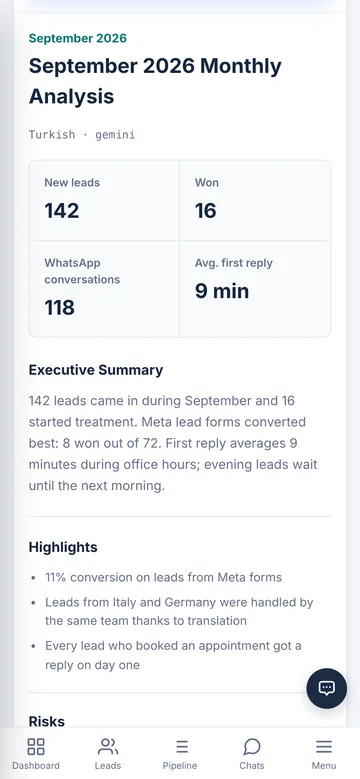
At the end of each month all leads and all WhatsApp conversations from that month are analysed together. The report separates two questions: which ad and which form actually bring leads that convert, and where each sales representative is losing them. Conversations are processed with identifying data masked.
The company administrator signs in with their own Facebook account and selects the page and the forms they are authorised for. You do not need to give the Sodo team administrator access to your Meta account.
Yes. The fields of every form are listed separately; phone, email, service interest and form specific extra questions can be mapped to the correct CRM fields.
No. Each company sees only its own users, connections and customer data. Permissions are role based and each company data is isolated from the others.
Yes. The panel works fully in a phone browser and can be added to the home screen so it opens like an app. There is no separate app to download. You can receive a notification when a new lead is assigned to you.
Data is hosted on servers in Turkey. The database and files are backed up daily; backups are encrypted on the server and then transferred to a storage service inside the European Union. The encryption key is held only by us.
3 days free · No card · Set up in minutes